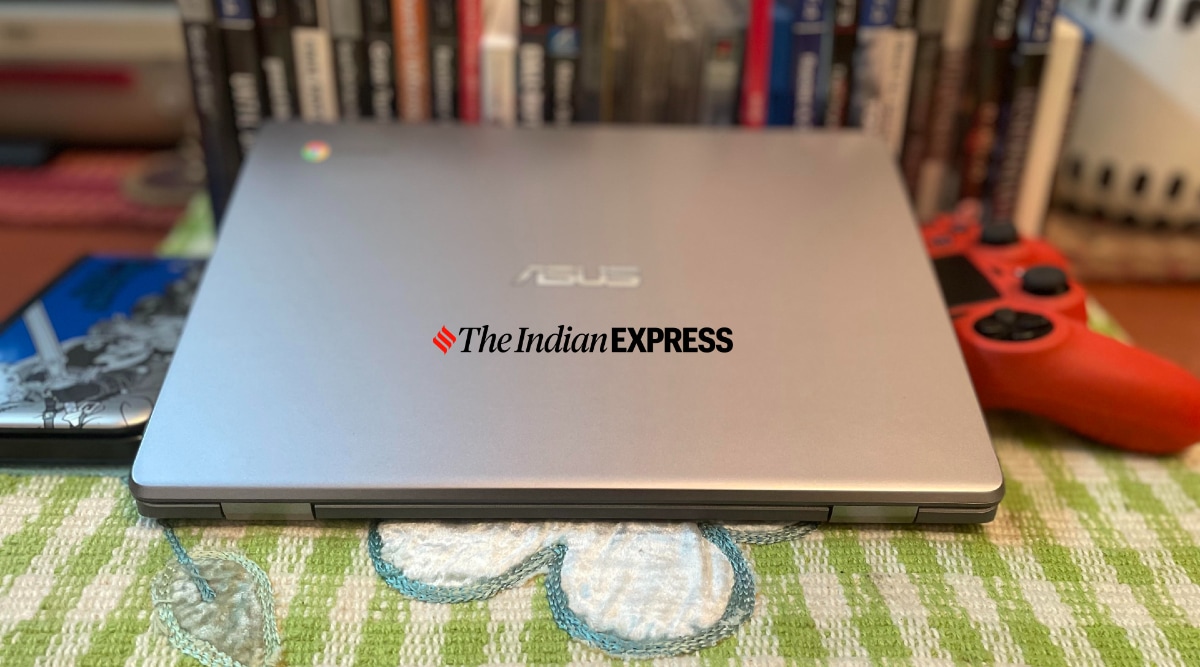
The Asus Chromebook C223 is designed for students and casual users, probably 90 per cent of computer users. (Image credit: Anuj Bhatia/Indian Express)
I have had a hard time explaining Chromebooks to my friends and family, because no one has really understood the concept of web browser-based ChromeOS. And it’s not their fault. The lack of availability of Chromebooks and half-baked push from Google has made these affordable notebooks alien to a majority of Indians. However, things have started to change ever since the global pandemic forced millions of students to learn remotely, creating the demand for low-cost Chromebooks for the first time. Although these Windows laptop alternatives come at different price points, the Asus Chromebook C223 starts at a significantly more affordable Rs 17,999. The question is: Can I use his notebook every day? Short answer: Yes. For the long answer, here’s my full review.
Asus Chromebook C223 review: Design and aesthetics
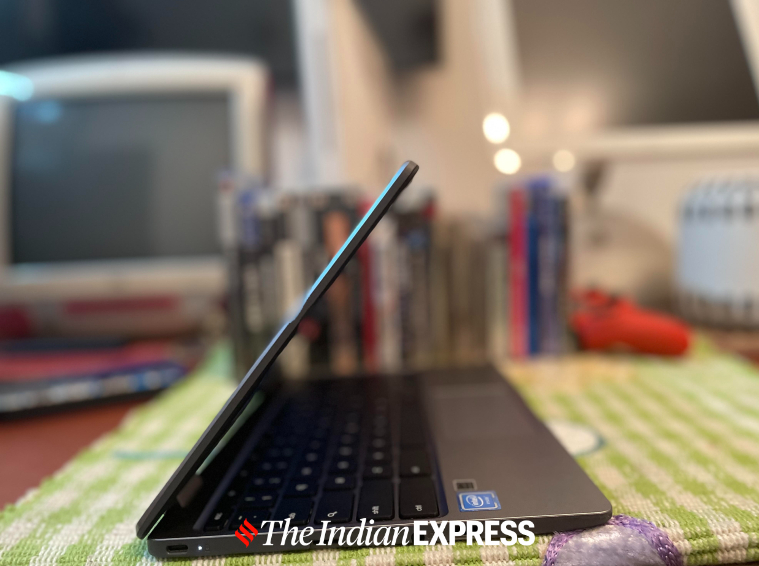
Take any Chromebook and you will notice certain design elements that are common. The Asus Chromebook C223 is no different. I am a big fan of computers that I can take everywhere I go, and this Chromebook is exactly what I wanted. The first thing I noticed when checking out the Chromebook C223 was that this was a compact notebook weighing less than 1 kg. It’s not just lightweight, but also easy to hold, use, and look at — a well-designed Chromebook that doesn’t look like a cheap notebook despite being made out of plastic. Because of its lightweight design, I can use it on the lap with ease when there is no table around.
The Asus Chromebook C223 is portable, lightweight, and well-sized. (Image credit: Anuj Bhatia/Indian Express)
The Chromebook C223 features a standard selection of ports, so you don’t have to shell extra on unnecessary dongles and cables. That mix includes two USB-C 3.2 Gen 1 ports, one USB-A 3.12 Gen 1 port, an audio jack, and a microSD slot for additional storage.
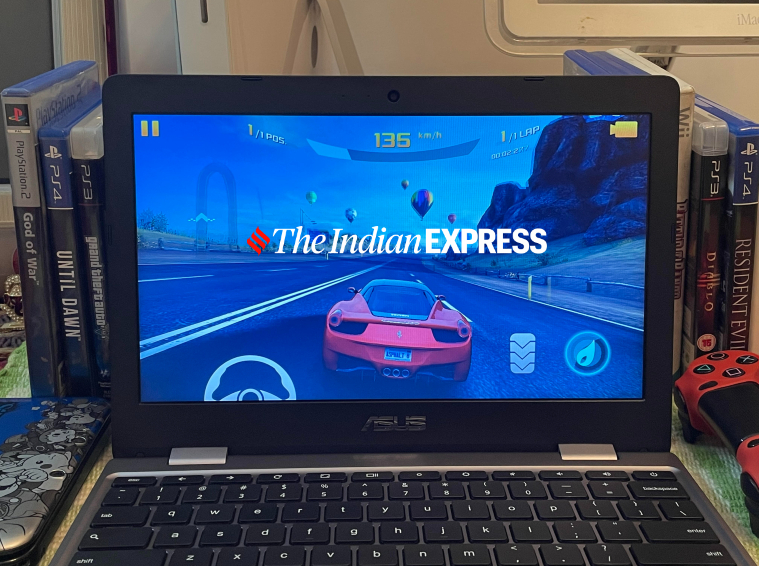
The non-touch HD display on the 11.6-inch (1366x768p) Asus Chromebook C223 is fine but don’t expect anything great. I haven’t done any side-by-side comparison with other notebooks in the budget segment, but what I can tell you is that the display is ideal if you are working on Google Docs and spreadsheets, or if you want to watch YouTube videos. The display looked great in most lighting conditions, though I did run into some visibility issues outside in direct sunlight. The bezels are still as chunky and while the 720p HD camera offers clearer video, it’s still a low-resolution camera. It’s fine for Zoom calls, though Meanwhile, the sound quality is surprisingly good on this machine, if not exceptional. If you are watching a movie, attending a Zoom call, or listening to music and set volume in the middle, you get a very clear sound.
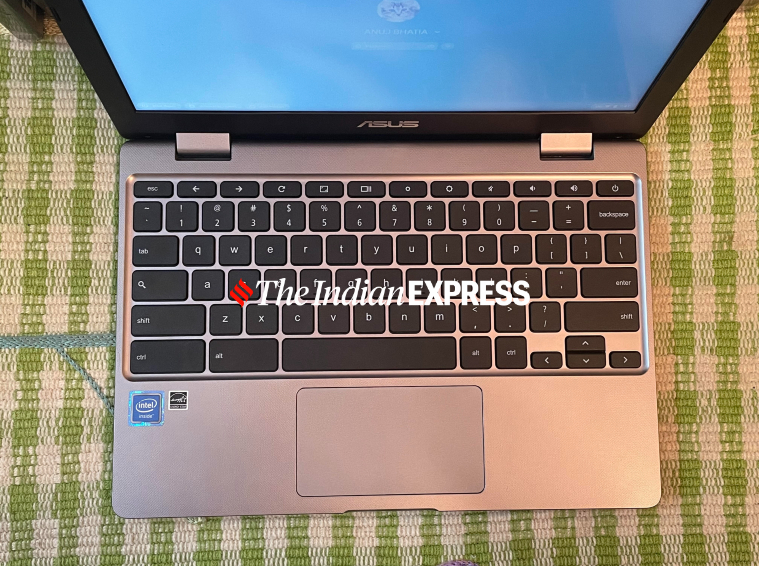
The Chromebook’s keyboard types naturally and comfortably. (Image credit: Anuj Bhatia/Indian Express)
Asus Chromebook C223 review: Keyboard and trackpad
The keyboard is my favorite thing on this laptop. I love typing on this keyboard. There is plenty of springiness and bounce, and the keys don’t feel cramped into the small space at all, which is the case with compact notebooks. Although the keyboard lacks a backlight, I have got no complaints about key travel. The trackpad is smooth and accurate, though at times it feels a bit sloppy.
The Asus Chromebook C223 has got access to the Google Play Store. (Image credit: Anuj Bhatia/Indian Express)
Asus Chromebook C223 review: Performance and ChromeOS
Is the Chromebook C223 underpowered? Not really, at least, not for what I do. This model is powered by a dual-core Intel Celeron N3350 processor with 4GB LPDDR4 RAM and 32GB of eMMC of storage. You may find the raw specifications weak, but just look at who will be using this Chromebook: mostly school students and casual users. I will not recommend the Asus Chromebook C223 to a college student who wants a notebook for heavy processing power. For instance, if you’re into coding or making music, the Chromebook C223 is not for you. You will be better off with a MacBook Air M1 or a Windows notebook with at least a Core i5 or i7 11th gen processor.
But if you’re like me, whose work is confined within a web browser and who uses apps extensively, then the Asus Chromebook C223 will be just fine for your needs. I used this notebook for the entire week, and did everything I do on a computer — writing and editing copies using Google Docs, web browsing, attending Zoom calls, messaging on WhatsApp Web, and editing photos on Pixlr. The Chromebook C223 handled all the tasks that I threw at it — sometimes up to 18 to 20 Chrome tabs running in the background. A Chromebook isn’t about graphics and GPU compute performance, anyway.
Story continues below this ad
The Asus Chromebook C223 is an actual laptop for me. (Image credit: Anuj Bhatia/Indian Express)
One of the advantages of Chromebooks over Windows laptops is the battery life. I recorded approx eight hours of battery life, meaning if I did decide to work from a Cafe, I wouldn’t have had to worry about the charger. I know it will go through almost a day without the battery dying down.
But the reason why the Asus Chromebook C223 works is because it runs Chrome OS, an operating system that uses the Chrome web browser. I am not going into detail about why ChromeOS is better than Windows, for that you can read my previous articles on Chromebooks. Obviously, ChromeOS is not a perfect operating system and Chromebooks can’t run Windows-specific games, real Photoshop, or many traditional programmes that you might get on your Windows PC or Mac. But if you are in the Google ecosystem and use web-based apps and download Android apps from the Play Store, and store data on the cloud, ChromeOS becomes a legit operating system. The fact that most Android apps in the Play Store can run on the Chromebook C223 makes the experience a lot better.
The 11.6-inch screen is perfect for web browsing or watching movies. (Image credit: Anuj Bhatia/Indian Express)
Asus Chromebook C223 review: Should you buy it?
The Asus Chromebook C223 is an excellent budget notebook, with a reliable keyboard, long battery life, and compact and light form factor. But Asus has made a number of compromises to keep the price down of this Chromebook, and it’s kind of visible with the Intel Celeron processor and 32GB of onboard storage — Google provides 100 GB of free online Google One storage for one year. Strictly based on pricing, the Chromebook C223 is a better buy when compared to entry-level Windows notebooks. At Rs 17,999, this Chromebook is still the best entry-level notebook you could find in the market, and I think people will be pleasantly surprised to see all the basic tasks this machine can handle compared to their existing Windows laptop.
Anuj Bhatia is a seasoned personal technology writer at indianexpress.com with a career spanning over a decade. Active in the domain since 2011, he has established himself as a distinct voice in tech journalism, specializing in long-form narratives that bridge the gap between complex innovation and consumer lifestyle.
Experience & Career: Anuj has been a key contributor to The Indian Express since late 2016. Prior to his current tenure, he served as a Senior Tech Writer at My Mobile magazine and held a role as a reviewer and tech writer at Gizbot. His professional trajectory reflects a rigorous commitment to technology reporting, backed by a postgraduate degree from Banaras Hindu University.
Expertise & Focus Areas: Anuj’s reporting covers the spectrum of personal technology, characterized by a unique blend of modern analysis and historical context. His key focus areas include:
Core Technology: Comprehensive coverage of smartphones, personal computers, apps, and lifestyle tech.
Deep-Dive Narratives: Specializes in composing longer-form feature articles and explainers that explore the intersection of history, technology, and popular culture.
Global & Local Scope: Reports extensively on major international product launches from industry titans like Apple and Google, while simultaneously covering the ecosystem of indie and home-grown tech startups.
Niche Interests: A dedicated focus on vintage technology and retro gaming, offering readers a nostalgic yet analytical perspective on the evolution of tech.
Authoritativeness & Trust
Anuj is a trusted voice in the industry, recognized for his ability to de-jargonize trending topics and provide context to rapid technological advancements. His authority is reinforced by his on-ground presence at major international tech conferences and his nuanced approach to product reviews. By balancing coverage of the world's most valuable tech brands with emerging startups, he offers a holistic and objective view of the global technology landscape.
Find all stories by Anuj Bhatia here.
You can find Anuj on Linkedin. ... Read More


 7 min read



 The Asus Chromebook C223 is portable, lightweight, and well-sized. (Image credit: Anuj Bhatia/Indian Express)
 The Chromebook’s keyboard types naturally and comfortably. (Image credit: Anuj Bhatia/
 The Asus Chromebook C223 has got access to the Google Play Store. (Image credit: Anuj Bhatia/Indian Express)
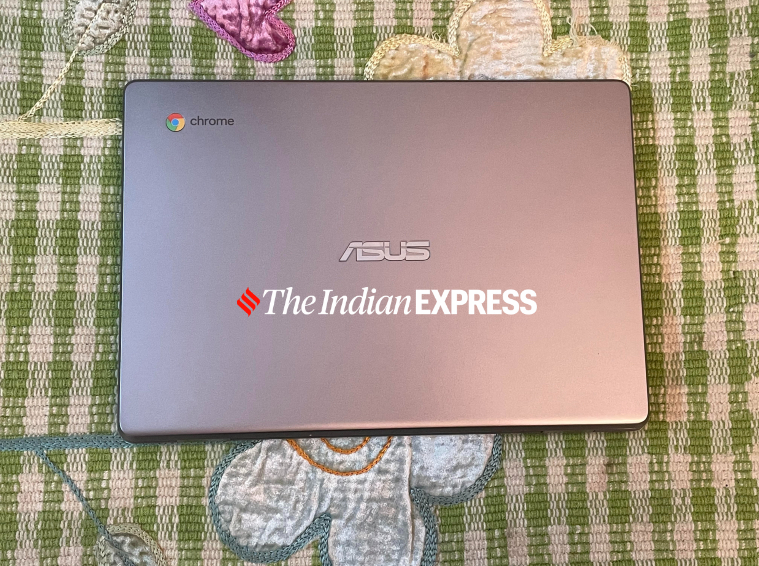 The Asus Chromebook C223 is an actual laptop for me. (Image credit: Anuj Bhatia/Indian Express)
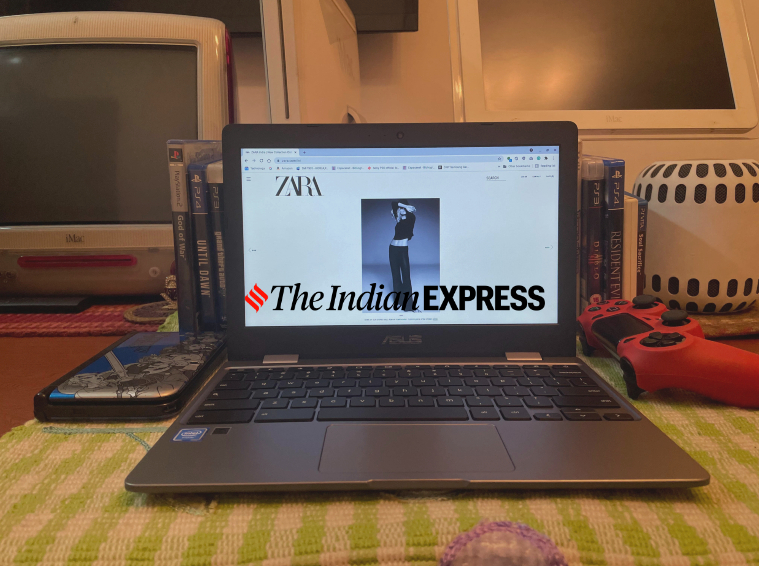 The 11.6-inch screen is perfect for web browsing or watching movies. (Image credit: Anuj Bhatia/Indian Express)