


© IE Online Media Services Pvt Ltd
Tags:


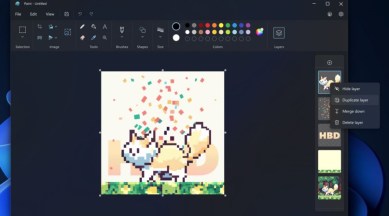
Microsoft recently announced it is adding support for layers and transparency to the Paint image editor. The tech giant says users can now edit layers to create complex digital art and save transparent PNGs.
In a blog post, Microsoft says the feature can be used on Paint v11.2308.18.0 or newer and is currently available to Windows Insiders as part of the Canary and Dev Channels. Similar to how the feature works in Photoshop, users will be able to add, remove and manage layers in an image and can easily stack shapes, image elements and text on top of each other.


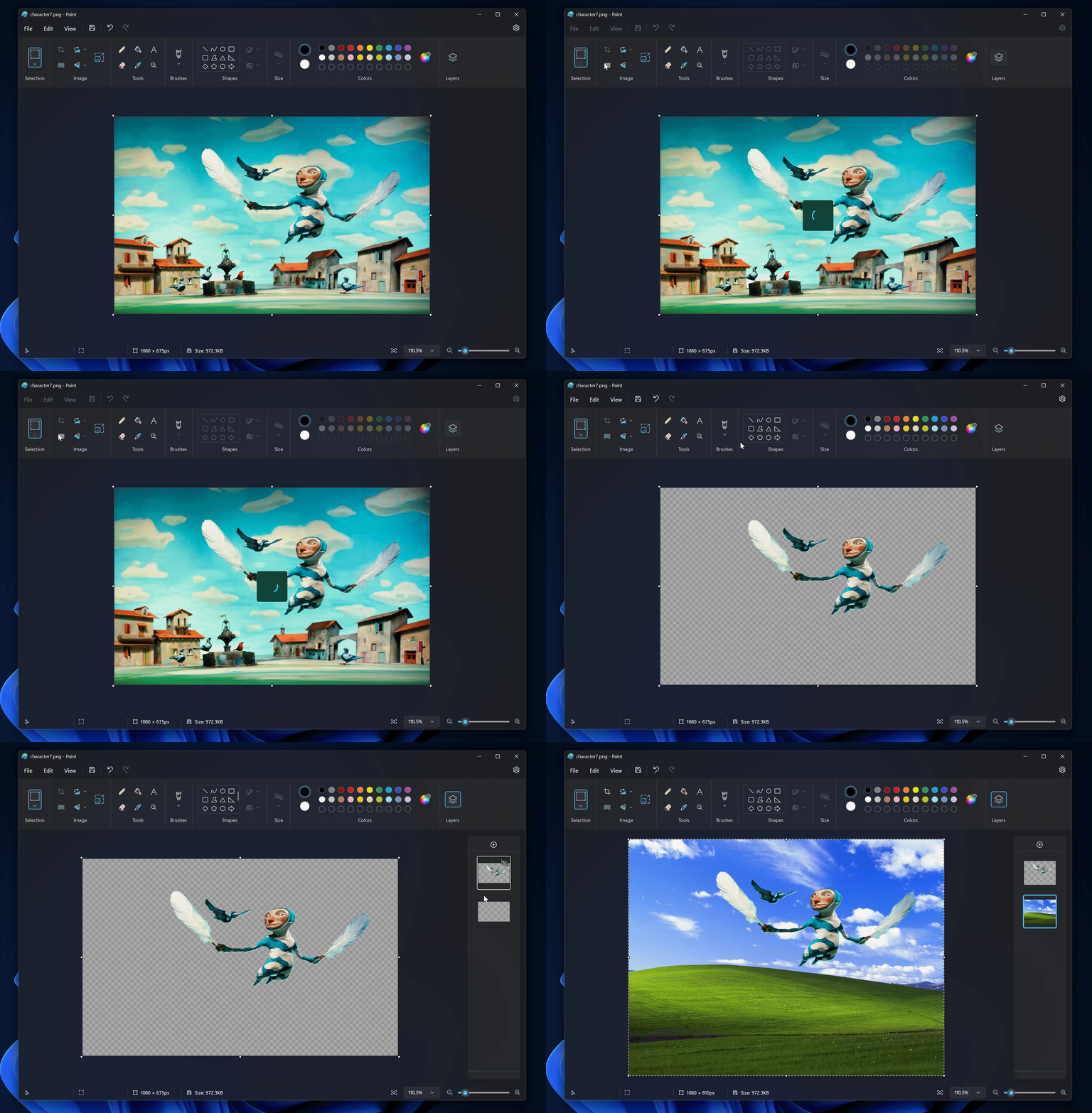
Microsoft has also added support for transparency and the ability to open and save transparent PNGs. When users work with a single layer, they will now be able to notice a checkerboard pattern which suggests that parts of the picture are transparent. Also, if you erase any content from the canvas, it won’t be painted white. And for those working with multiple layers, deleting a layer will now reveal the content underneath it.
The blog suggests that layers and transparency features are currently being tested and will be rolled out to everyone in the future, so it might take some time for them to appear on your device.
Earlier this month, Microsoft added another useful feature to the Paint app that lets users remove background from any image in a few clicks. Combined with the newly announced layers feature, it looks like Paint will be used by many as an alternative to Photoshop.


