© IE Online Media Services Pvt Ltd
 2 min read


 Gboard recently introduced the ability to split screen on tablets. (Image Source: Google)
 Google is rolling out a new ‘Resize’ option for GBoard users, which lets them change the size of the keyboard to their preferences. Until now, the functionality was limited to seven options.
According to a recent report by 9to5Google, the new resize option can be accessed from the toolbar and is present in Gboard beta v13.2.05.x. Available on both Android and iOS devices, it can be found under the ‘Keyboard height’ menu, which can be accessed by heading over to the ‘Preferences’ section in Gboard settings.
Instead of the current presets – extra-short, short, mid-short, normal, mid-tall, tall and extra-tall, users can now choose to modify the height of the keyboard by simply drafting the handlebar to whatever size they want. The new ‘Resize’ option also allows users to change the width so that the keyboard takes one-third, half and three-quarters of the screen.
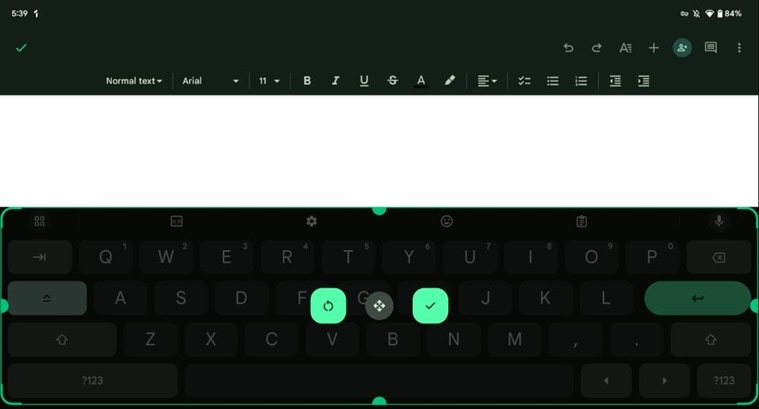 Here’s what the new Gboard ‘Resize’ option looks like. (Image Source: 9to5Google)
In case you don’t want to occupy the available space, just move the keyboard. Dragging it up will show an empty space below the space bar. While the new option shares some similarities with the existing one-handed and floating mode, it does not show the extra column of buttons which lets you switch back to the normal mode.
Google seems to be gradually rolling out the new ‘Resize’ option, so it might take a while before it appears on your device.
Earlier this year, Google introduced a number of new features to Gboard like the ability to use split keyboard on tablets, AI suggestions for GIFs, emojis and sticks, and a new Clipboard manager.