Microsoft has launched a new computer (and no, it’s not Surface-branded) that may seem like an alternative to the Apple Mac mini. While the $349 Windows 365 Link may look like a typical compact desktop computer from the outside, it’s fundamentally different, as it’s a cloud-based device rather than a traditional PC. But you can connect the device to monitors, a mouse, a keyboard, and a webcam like a traditional computer.
Here’s everything you want to know about the Microsoft Windows 365 Link.

What is Windows 365 Link?
The Link resembles the Apple Mac mini — not the latest model but the previous one. Measuring 4.72 inches square and just over an inch thick, the computer can easily be mounted behind a desktop monitor or under a desk.
An Intel chip powers the computer, with support for 8GB of RAM and 64GB of storage. The 365 Link mini PC supports dual 4K monitors and features Wi-Fi 6E and Bluetooth 5.3 for connectivity, along with four USB ports, a DisplayPort, and an HDMI port. There’s also an Ethernet port for wired connectivity. It’s compact, fanless, and easy to use, just like any modern computer. Technically, the Link is a computer but designed differently and serves a specific purpose.
Link runs on Microsoft’s Cloud-based OS
Perhaps the biggest difference between a regular computer and the Link is how the two devices are powered. The Link lets users run programmes and store files in the cloud, which is why Microsoft calls it a Cloud PC. Unlike a traditional Windows PC where the device is powered by an operating system locally, the Link runs a stripped-down operating system called Windows CPC, with no support for local applications and a strict application control policy that can’t be disabled. It also provides access to all the Microsoft 365 apps, including Word, Outlook, and Excel.
The Link boots in seconds, can wake instantly from sleep, and uses its chips to process video for Microsoft Teams or Webex by Cisco. It automatically downloads updates in the background and installs them at night.
Although the Link does not have a dedicated Neural Processing Unit (NPU) like AI PCs, users can access the latest Windows 11 AI features coming to Copilot+ PCs — such as Recall and Click to Do — via the cloud. A device like the Link is meant to be simple and easy to use. It comes with Microsoft-made security features built in, and since the device ditches local storage, it helps reduce security risks tied to physical data loss.
Story continues below this ad
Link demonstrates what Windows 365 service has to offer
Think of the Link as the showcase hardware tailored to access Microsoft’s Windows 365, a service that allows businesses to use virtual machines running on a vast cloud of Azure servers. Microsoft introduced Windows 365 Desktop-as-a-Service (DaaS) three years ago in an attempt to provide virtual PCs to customers. At its core, it’s a virtualisation service that offers a Windows desktop along with first- and third-party applications to users, regardless of whether they are using PC or non-PC hardware.
A better way to compare this service is to a streaming service — it streams the output of a Windows 10 or Windows 11-powered PC. Users can then use the keyboard, touchscreen, mouse, and microphone to control the service, just as they would with a regular computer. The idea behind Windows 365 is to run the virtual desktop on servers, with the data being transferred over the Internet rather than an organisation’s network.
Link is not aimed at home users
The mini desktop PC is more suitable for organisations rather than home users. Think of call centres, for example, as an ideal place where the Link can be deployed. The point behind the Link is to deploy these mini desktop cloud devices in large numbers, reducing the cost of outfitting employees with PCs while also providing a centralised location for storing and securing company data. In a way, a device like the Link makes more sense for organisations that have already adopted Windows 365, where multiple people use the same device to connect to their own cloud PCs.
The Link runs a lightweight version of Windows — Windows CPC. There are no local apps, no sensitive data stored on the device, and no local admin users. (Image credit: Microsoft)
Link is the beginning of a new type of Cloud PC
With the Link, Microsoft is testing the grounds for a new type of cloud computer that ties hardware to a service — in this case, Microsoft 365. Although Microsoft is charging $349 for the Link, the company is likely to earn more from selling Microsoft 365 to organisations. Microsoft charges a monthly subscription fee for using Windows 365.
Story continues below this ad
The Link device is not only a cheaper alternative to PCs but also cost-effective to maintain. Microsoft hopes a device like the Link will be well-received in environments with limited local computing resources, where the organisation wants to keep the cost of computer maintenance to a minimum.
Microsoft 365 Link in a nutshell:
1.) A thin client device for shared workspaces
2.) Designed to take advantage of Microsoft 365 service.
3.) Users can always access their apps, data, and settings from any thin client they use.
4.) IT administrators can upgrade or swap the thin client box without having to worry about preserving or transferring user data.


 6 min read


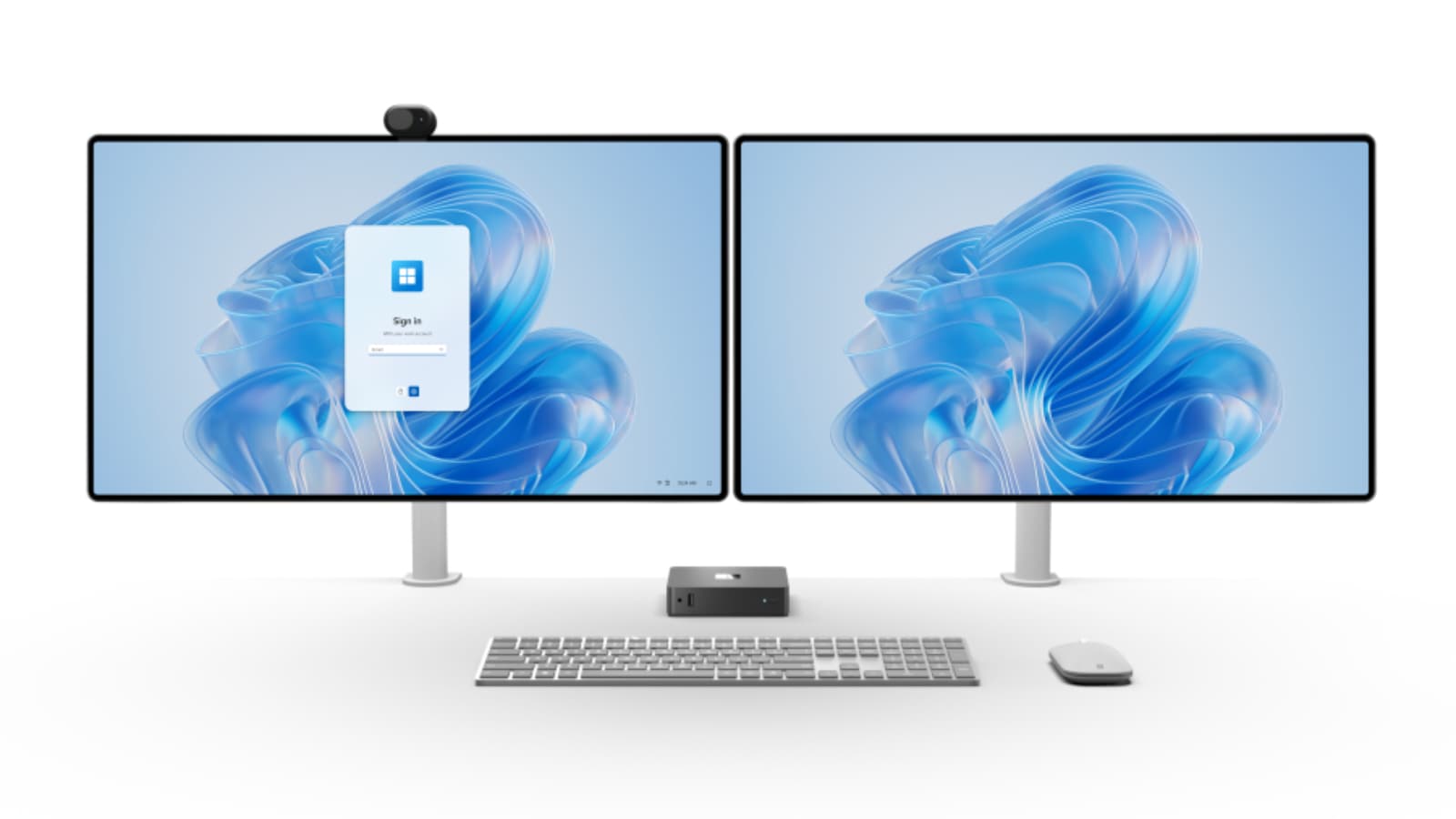

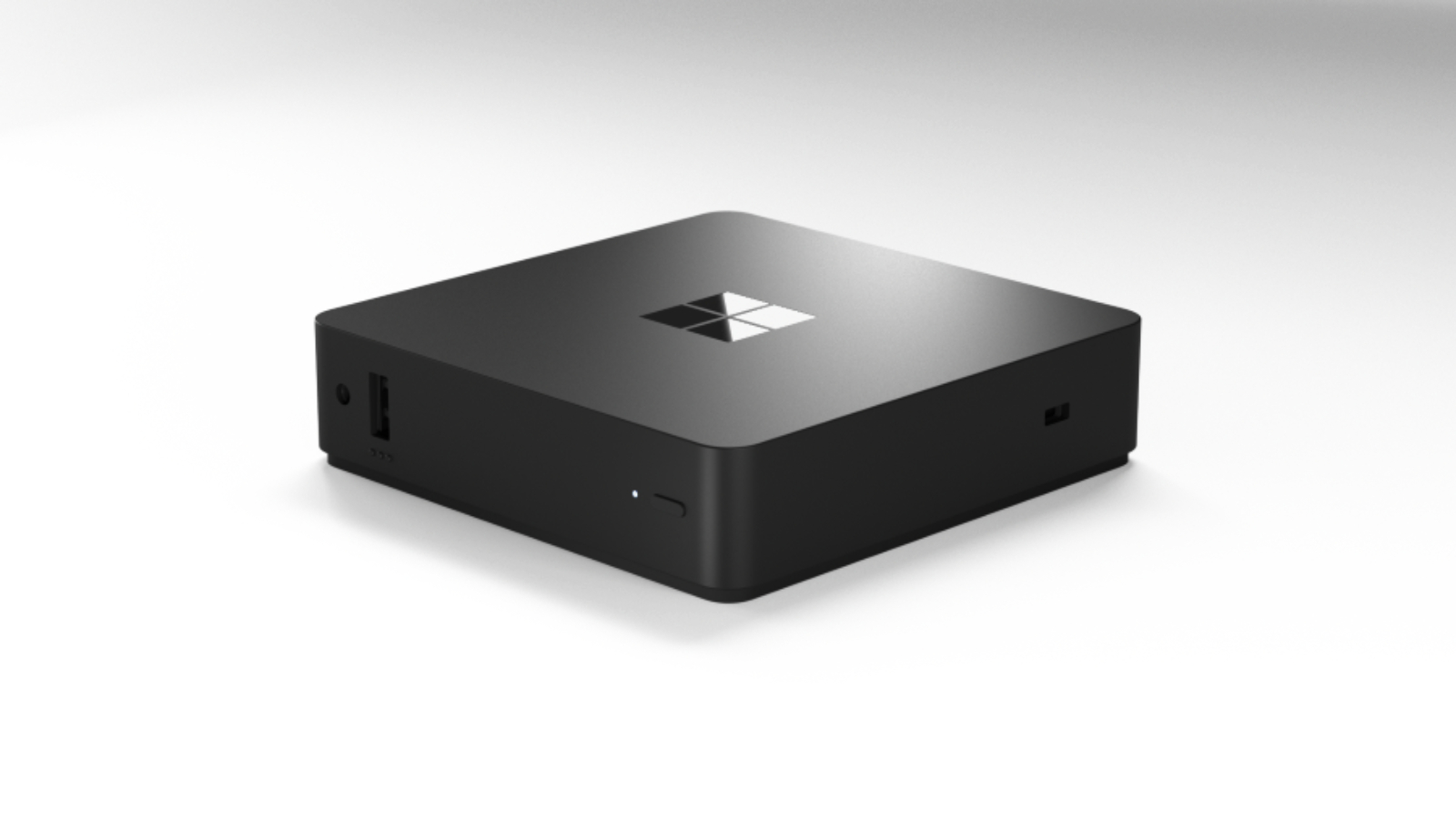 Windows 365 Link launched in April, and the preview program is open to customers in a handful of countries: the United States, Canada, the United Kingdom, Germany, Australia, and New Zealand. (Image credit: Microsoft)
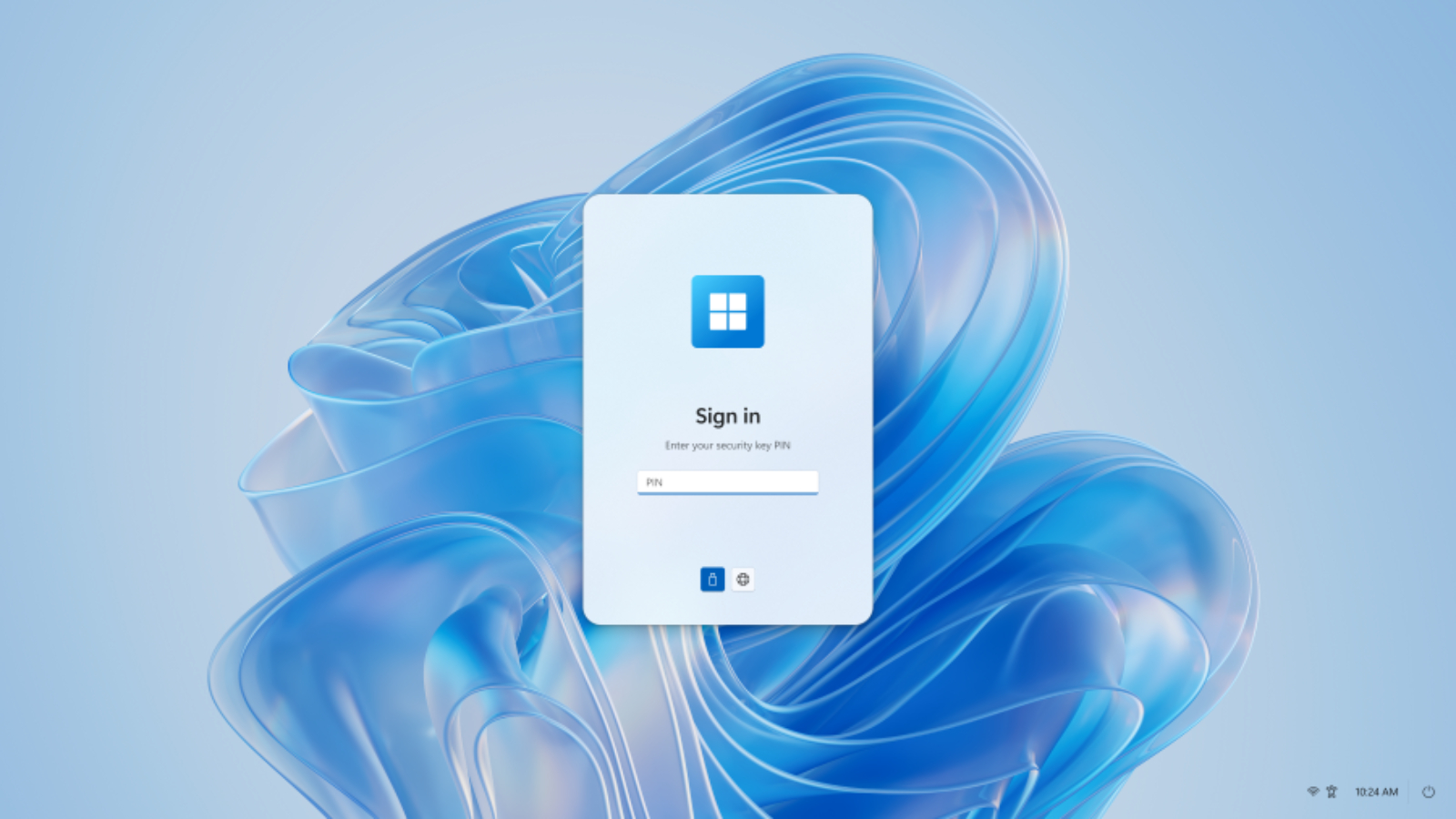 The Link runs a lightweight version of Windows — Windows CPC. There are no local apps, no sensitive data stored on the device, and no local admin users. (Image credit: Microsoft)