


© IE Online Media Services Pvt Ltd
Tags:



AI chatbots now come in so many different flavours, each with their own strengths and weaknesses, that taking your pick can be a challenge. But one common problem most of them have currently is that they depend on the internet, and because of that, you’re always at the mercy of the companies behind them. For example, OpenAI’s data policy says that it can store some of your data and use it to train its AI models.
And then there’s the fact that these AI models are not personal – you don’t own them and they still run on the servers paid for by the companies that made them. If these things bother you and you’re looking for a new way to chat with AI bots, you might want to check out FreedomGPT.


The removal of guardrails means that you’d have to be more careful with your prompts to ensure the chatbot doesn’t spew controversial takes. Mainstream chatbots like ChatGPT and Bard have checks in place, ensuring that they don’t produce biased or false information – such as bad medical advice – but FreedomGPT has no such qualms.
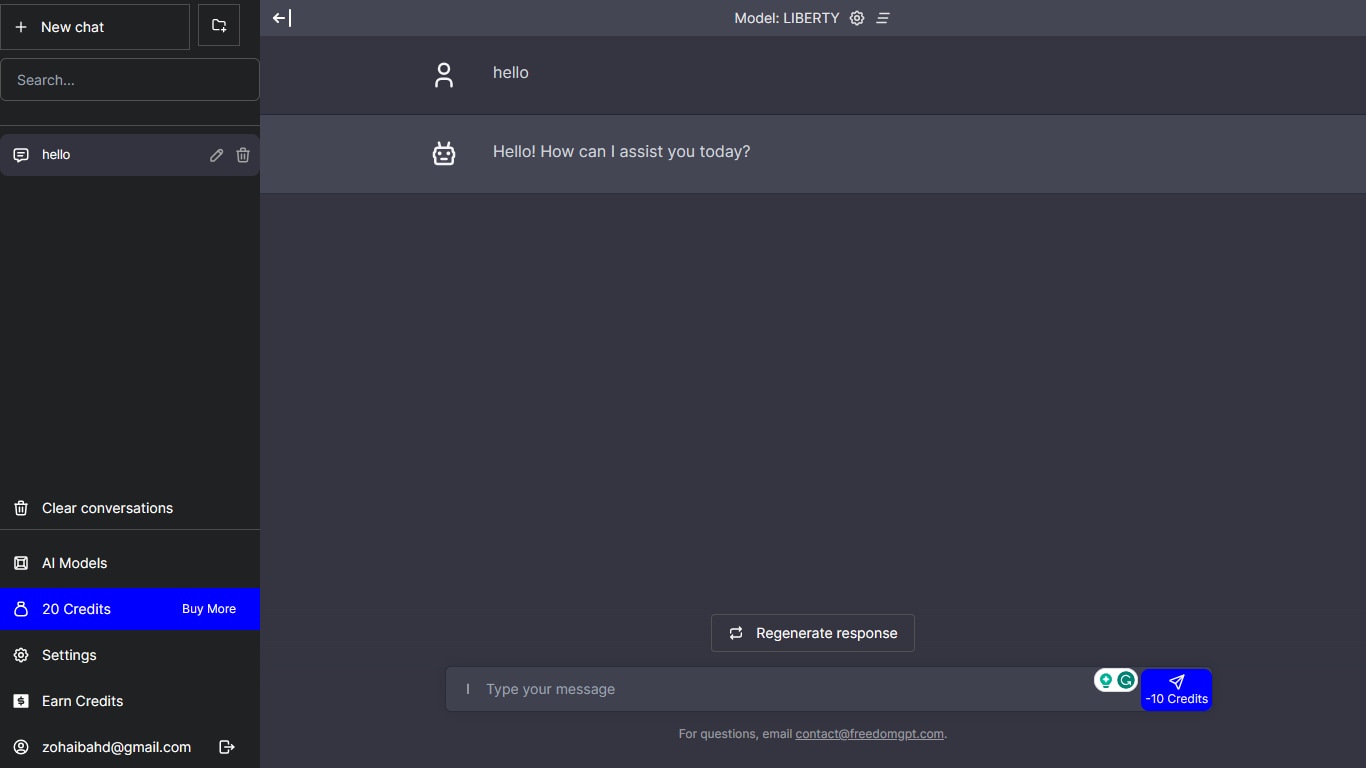
FreedomGPT comes in multiple versions and you can even use it on the web, although that’s paid. We’ll be focusing on the more useful version, one that’s free and can run offline on your machine. This version is available to download from the chatbot’s website for both Windows and Mac (Apple Silicon only).
The first thing you need to do is head to freedomgpt.com and scroll down to the downloads section. Here, you’ll see options that let you pick between the internet, Windows, and Mac versions. Choose either the Windows or Mac option.
After you launch the setup, you should see two AI chatbot options. The first is LLaMA, the generative AI tool available for developers to download and customise, developed by Meta. The second is Alpaca, a version of LLaMA fine-tuned by Standford researchers. Both models come in two variants – fast and full.
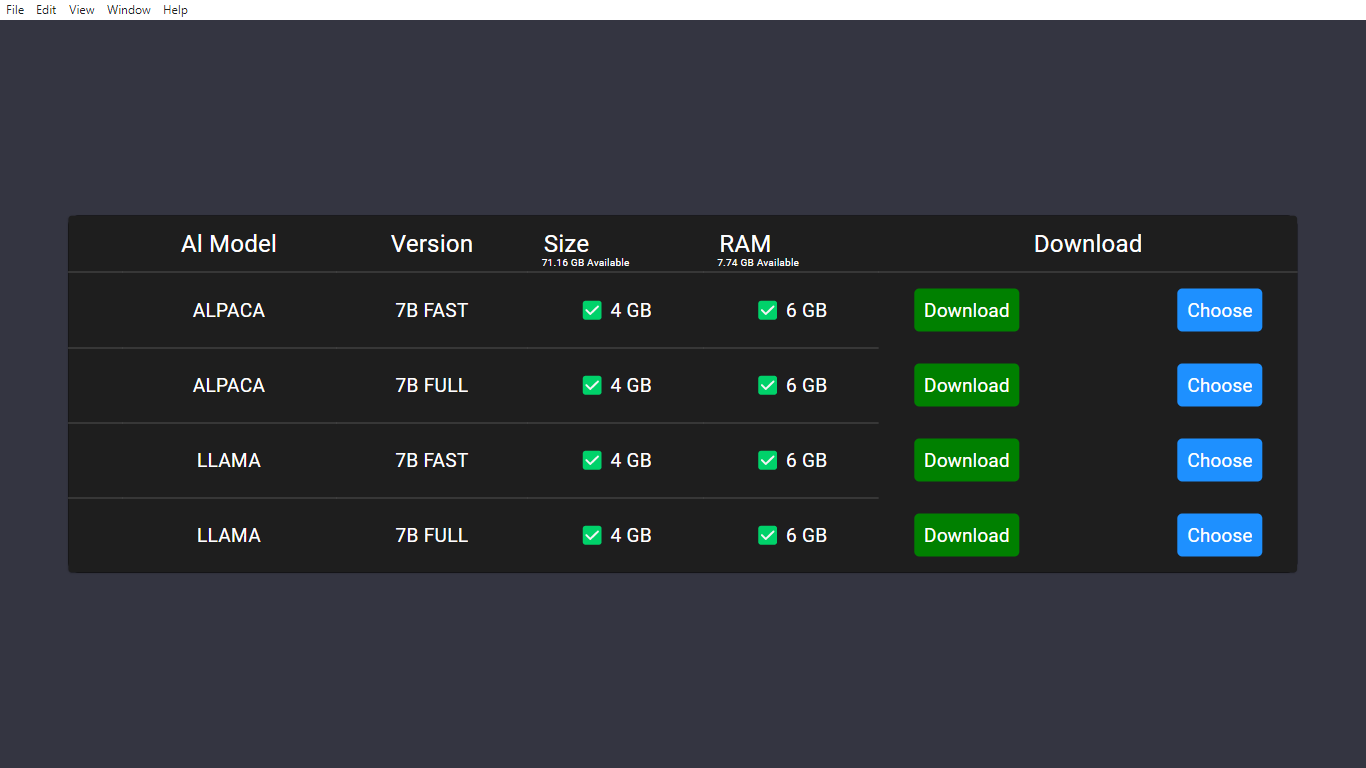
Once you have installed FreedomGPT and the AI model of your choice, you can start chatting with it on your computer. The interface is simple and similar to ChatGPT, but there are some differences and limitations that you should be aware of.
For example, all of your chats are stored in the same conversation, and you cannot start a new one without reloading the app or losing your previous chats. The AI bot also does not remember much of what you have said to it before, which makes it more suitable for one-off questions than for lengthy chats.
FreedomGPT offers you some unique features that you can access from the top left corner of the interface. You can switch between the different AI models on the fly, and download any that are not available on your computer.


