

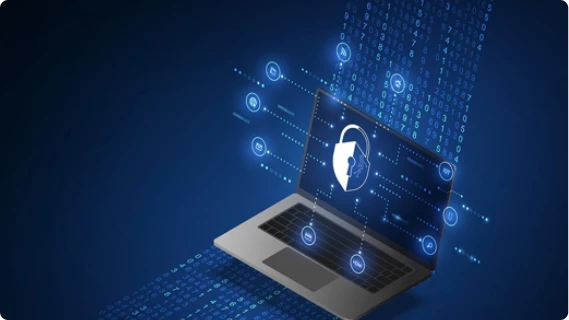
Mobile phones and personal computers are indispensable to our lives. These devices organise our lives, enable us to work, entertain us and allow us to network with the world via social media. They are our windows to the world. But on the other side of the window, unknown to us, hacking, phishing, and malware incidents are waiting to happen anytime. Cyber crooks are always on the prowl to steal our personal and professional data and damage our valuable devices irreparably.
Being aware of these potential threats is important in the fight against cybercriminal activity and preventing security breaches that can wreck our devices and lives. This is where cyber security steps in. Cyber security means defending computers, mobile devices, networks, and data from malicious attacks.
With the increasing reliance on technology and the internet, it is essential to have strong defenses in place to protect against potential threats.
To help you boost your cybersecurity defenses, here is a checklist of steps you can take:
- Use strong and unique passwords: Using strong, unique passwords for all of your accounts, avoiding using the same password for multiple accounts and using a password manager to help you generate and store complex passwords is a simple way to ensure that hackers cannot easily gain entry into your accounts.
- Enable two-factor authentication: Two-factor authentication adds an extra layer of protection to your accounts by requiring a second form of verification, such as a code sent to your phone, in addition to your password, making it harder for attackers to access your accounts.
- Stay updated: Regularly updating your software and devices helps to ensure that you have the latest security patches and features. This includes your operating system, web browsers, and any other apps or programs you use.
- Use a sound antivirus program: It may seem like an additional burden, but a good antivirus program helps to protect your device from malware and other threats. But simply having an antivirus application is not enough, it needs to be updated with information on the newest viruses and other malware. Set reminders to make sure your subscriptions to antivirus software downloads are updated regularly.
- Check before clicking on links and downloading files: Be cautious when clicking on links or downloading files from the internet as these can often be sources of malware. Verify the source before clicking on a link or downloading a file. Educate yourself about phishing scams, in which attackers trick recipients into divulging credentials, clicking a malicious link, or opening an attachment that infects your system.
Here's what you can do to protect yourself -
- Avoid opening emails from people you don’t know
- Hover over links to discover where it directs to, so that you know if a link is safe or not
- Grammatical errors in emails and messages are a red flag - it could be from a hacker!
- Malicious links can come from friends who have been infected too, so always be careful before responding to such mails
- Get firewall protection: A firewall helps to block unauthorised access to your device and network. Make sure to enable firewall protection on all your devices.
- Back up data: Arm yourself against any cyber-attack or data loss event by backing up data regularly. This will help you to quickly recover your data and minimize any potential downtime.
- Use a virtual private network (VPN): A VPN encrypts your internet connection and helps to protect your online activity from being monitored or tracked. This is especially useful when using public Wi-Fi networks. When you use VPN software, the traffic between your device and the VPN server gets encrypted, making it difficult for a cybercriminal to obtain access to your data on your device.
- Shield sensitive personal identifiable information: Be wary of personal information you share on social media. Regularly review your privacy settings across all your social media accounts and avoid adding your home address, birthdate, or any sensitive information that can help hackers to gain access to your personal life.
Staying cyber secure in an increasingly connected world is vital to your wellbeing. Simple cyber discipline can protect your devices, networks, and data against potential cyber threats. Cybersecurity is an ongoing process and it is important to regularly review and update your defenses to ensure that they are effective. As the old adage goes, prevention is better than cure!